

The Master Ball is the most coveted item in the Pokémon series—a Poké Ball with a 100% catch rate. In Pokémon Gold and Pokémon Silver, you only receive one Master Ball during your journey, usually from Professor Elm after collecting eight Johto badges. It’s typically reserved for catching Legendary Pokémon like Lugia, Ho-Oh, or the roaming Entei and Raikou.
But what if you could get unlimited Master Balls without using a GameShark or external cheat device? Thanks to an in-game glitch involving the PC Box system, you can. This duplication glitch allows you to clone any Pokémon—and by extension, any item it’s holding, including the Master Ball.
⚠️ Important Note: This glitch involves resetting the game during the save process, which can be risky. While it works reliably in most cases, there’s always a slight chance of corrupting your save file. Proceed with caution, and don’t use it on your most valuable Pokémon unless you’re confident.
Step 1: Obtain the Master Ball

Before attempting any duplication, you must first obtain the original Master Ball. In Pokémon Gold and Silver, this is given to you by Professor Elm. Once you’ve defeated all eight Gym Leaders in Johto and earned your final badge from Clair in Blackthorn City, return to New Bark Town.
There, Professor Elm will congratulate you and reward you with a single Master Ball—a gift for your success and a tool for catching tough Pokémon. Be sure not to use it yet; we’re about to turn that single Master Ball into an endless supply.
Step 2: Give a Pokémon Your Master Ball

Next, choose a Pokémon from your party and give it the Master Ball to hold. This is crucial because the duplication glitch will copy the entire Pokémon, including any item it’s holding.
To do this, open your Pokémon menu, select a Pokémon, choose “Item,” then select “Give,” and choose the Master Ball from your inventory. Make sure this Pokémon is one you’re okay duplicating, as you’ll end up with a clone.
Most trainers use a common or low-level Pokémon like Pidgey or Sentret to avoid any unintended consequences with rare or important party members.
Step 3: Deposit the Pokémon in Bill’s PC
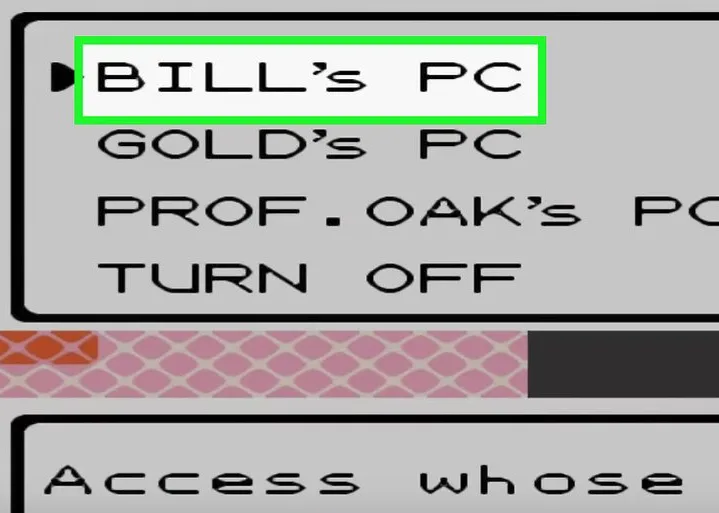
Now go to any Pokémon Center, head to the PC in the corner, and access Bill’s PC. From there, select “Deposit Pokémon”, and place the Pokémon holding the Master Ball into one of your PC Boxes.
Make sure the PC Box has at least one empty slot, and preferably that it’s not full. This will ensure the duplication works properly. Also, it’s a good idea to save your game before proceeding to the next step—this gives you a safe checkpoint in case anything goes wrong.
Step 4: Swap the Box

After depositing your Pokémon, back out to the main menu of Bill’s PC and choose “Change Box.” You’ll be prompted to save your game when switching from one PC Box to another.
This step is essential because the game performs a full save operation during the box swap. That’s the moment the duplication glitch hinges on.
For example, if you deposited your Pokémon in Box 1, switch to Box 2 (or vice versa). Confirm the box change when prompted, and prepare for the next step very carefully.
Step 5: Shut Off the Game During Saving

This is the trickiest and riskiest part of the process. As soon as the game starts to save after you switch boxes, wait for the message: “Saving… Don’t turn off the power.”
Right as that message disappears—or after a brief pause of one or two seconds—shut off your Game Boy or emulator. Timing is everything. If you turn it off too early, your data might not be saved correctly; too late, and the duplication won’t work.
Again, caution is key. This is why many players recommend trying this with an emulator that supports save states, allowing you to test and perfect the timing.
Step 6: Turn the Game Back On
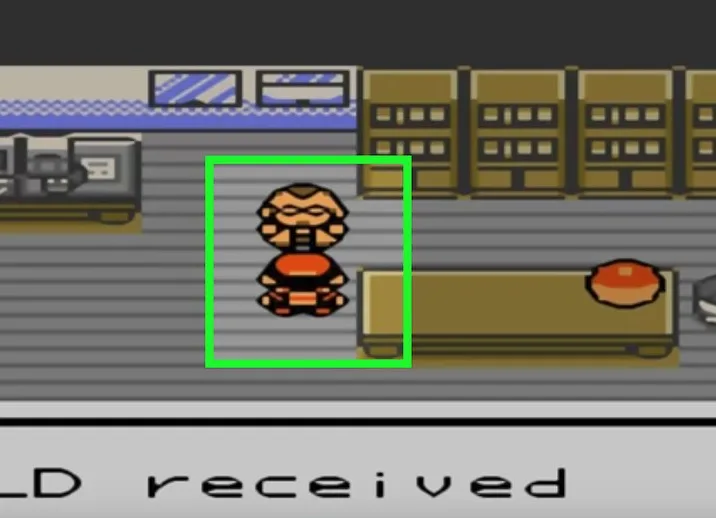
Once the game is off, turn it back on and reload your save file. Head into Bill’s PC, and you should see:
- The original Pokémon is still in your party
- A duplicate of the same Pokémon is in the PC box
- Both are holding Master Balls
You’ve now successfully duplicated your Pokémon and its held item! Remove the Master Ball from both copies and repeat the process as many times as you like. Just remember: always deposit the Pokémon, switch boxes, and time your reset carefully.
Conclusion: Unlimited Master Balls, Unlimited Power
With this glitch, you now have access to unlimited Master Balls in Pokémon Gold and Silver—without using external cheats. This makes catching Legendary and roaming Pokémon far easier, and it opens up strategic options in battle and trades.
While the process takes a bit of timing and care, mastering it can greatly enhance your gameplay. Whether you’re preparing to face the Legendary Beasts, take on Lugia and Ho-Oh, or simply want to trade rare Pokémon with friends, you’ll now be equipped with the ultimate catching tool.
Happy cloning—and catch ’em all without ever missing!




 Security verified