
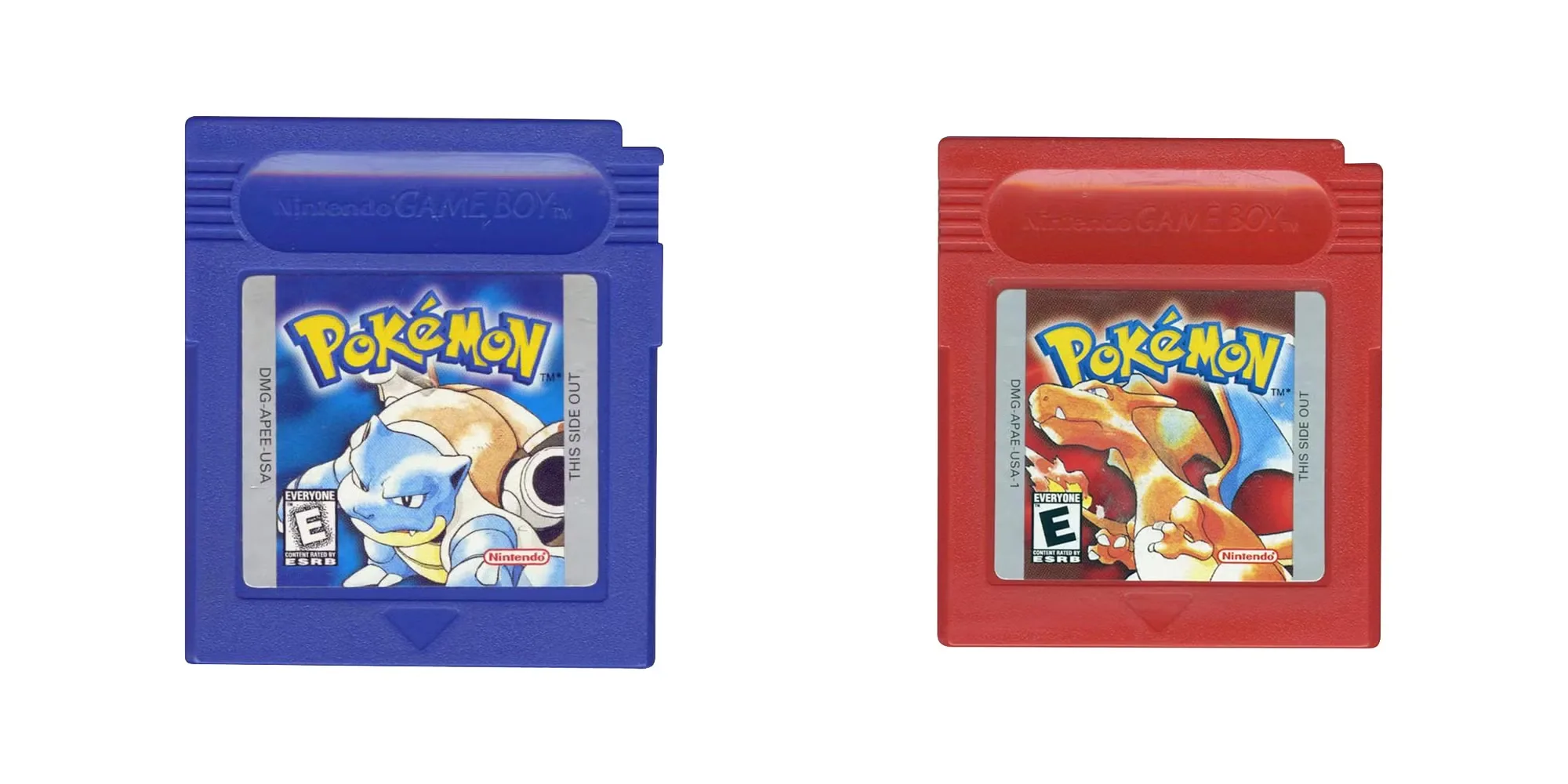
Back in the golden age of Game Boy gaming, discovering glitches felt like unearthing real-world secrets coded deep inside the cartridge. One of the most legendary discoveries in the original Pokémon Red and Blue games is the item duplication glitch, known for its simplicity and power. With just a few steps and a little timing, players could clone rare and valuable items like Rare Candies, Master Balls, and TMs—providing an edge that was unmatched. Whether you’re aiming to raise your Pokémon team to Level 100 in record time or stockpile powerful items, this method has stood the test of time as one of the most useful glitches in early Pokémon history.
- Play Pokémon Red on your Android device with a simple APK.
- Play Pokémon Blue on your Android device with a simple APK.
Introduction: What is the Item Duplication Glitch in Pokémon Red/Blue?
The item duplication glitch, often referred to as the “MissingNo. glitch,” is a well-known bug in the original Pokémon Red and Blue games. This glitch allows players to multiply any item placed in the sixth slot of their inventory by encountering a glitch Pokémon called MissingNo. (short for Missing Number). While originally an oversight in the game’s code, it quickly became one of the most popular exploits used by trainers worldwide. It’s easy to perform, doesn’t require any cheats or hacking devices, and can be done relatively early in the game. This step-by-step guide will walk you through the entire process, ensuring that you understand both the mechanics and the precautions necessary to use the glitch effectively.
Step 1: Place the Item You Want to Duplicate in the Sixth Slot
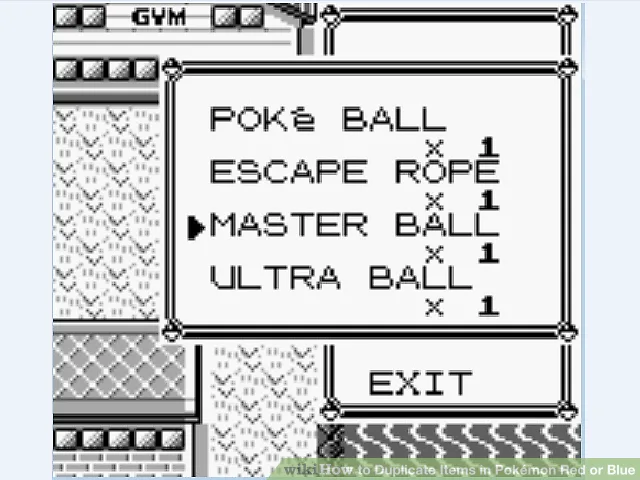
Before you initiate the glitch, it’s essential to organize your item bag properly. Open your inventory and move the item you wish to clone into the sixth position. This step is absolutely critical—the glitch specifically duplicates whatever is placed in that slot. To move items, simply open your bag, highlight the item, and choose the “SWITCH” option to rearrange them as needed. Ideal candidates for duplication include Rare Candies for fast leveling, Master Balls for catching legendaries without fail, or powerful TMs that teach strong moves. Remember, this glitch won’t work unless the target item is in that exact position. Also, ensure you have at least one of the item in the slot; the glitch won’t duplicate a blank space. Taking a moment to double-check this setup will prevent accidental item loss or wasted attempts. If you’re duplicating an item with limited availability, this one-time organization step can save countless hours of gameplay. Once you’ve locked it into position, you’re ready to begin the glitch sequence.
Step 2: Talk to the Old Man in Viridian City
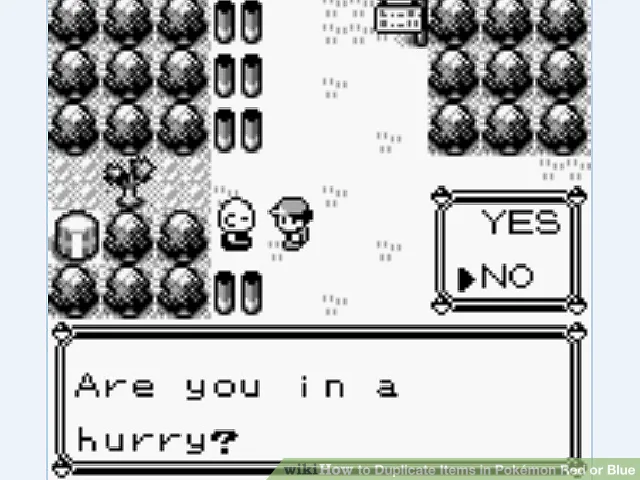
The next step involves triggering a dialogue with the Old Man found in Viridian City. This NPC is located near the northern exit of town, just below the path that leads to Viridian Forest. Speak with him and agree to watch his Pokémon catching demonstration. This quirky cutscene involves him attempting to catch a wild Weedle, and although it may seem unimportant, it actually alters the game’s memory data, setting up the necessary conditions for the glitch. This occurs because the game temporarily loads his name in place of the player’s name, freeing up the memory slot that’s typically used for map data. Once this memory manipulation occurs, the game begins behaving differently when you surf along certain coastal areas. It’s a subtle trick of the programming that allows the duplication to take place in the next steps. Be sure not to battle any other Pokémon between this demonstration and the final part of the glitch, or you’ll have to start over. Once the demonstration ends, immediately move on to the next step.
Step 3: Fly to Cinnabar Island and Use Surf
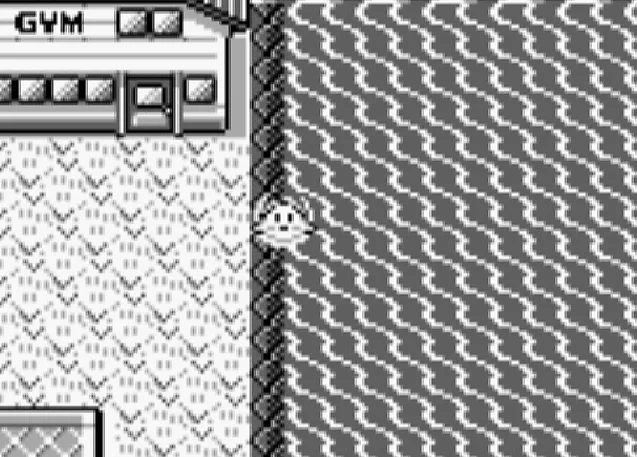
After completing the demonstration in Viridian City, use Fly to travel directly to Cinnabar Island. This island, home to the famous Pokémon Lab and the Fire-type Gym, also has a unique coastline that plays a key role in the glitch. Once you arrive, head to the eastern edge of the island where the water meets the land. Use Surf along the coastline, staying directly along the narrow border where the water touches the land tiles. Do not stray into the deep sea; only the “half-land, half-water” edge will trigger the desired effect. This is where the game starts loading Pokémon data improperly, using corrupted values from the memory swap caused by the Old Man’s demo. As you surf back and forth, you’ll encounter glitched Pokémon, including the infamous MissingNo. or ‘M (another similar glitch Pokémon). Be prepared for weird sprite animations or audio glitches—it’s all part of the experience. Just remember, you are not here to defeat MissingNo.—you simply need to encounter it for the duplication effect to occur. Keep your sixth item ready for duplication and proceed to the final step.
Step 4: Battle MissingNo. to Complete the Glitch
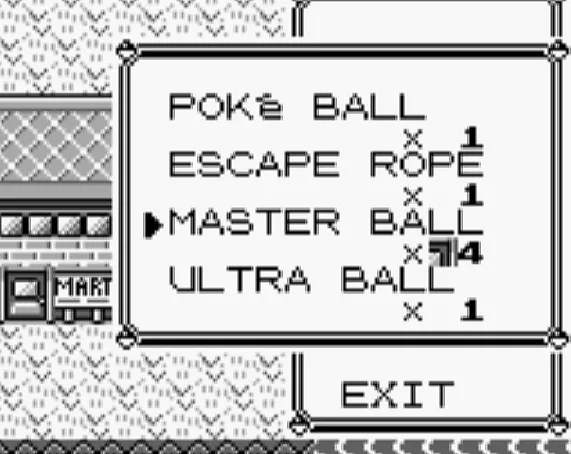
Eventually, as you surf along the edge of Cinnabar Island, you’ll encounter a wild MissingNo. (or a similar glitch Pokémon like ‘M). This Pokémon is notorious for its scrambled appearance and unusual behavior, but don’t be alarmed. Do not attempt to catch MissingNo. unless you’re okay with the potential side effects—it can sometimes corrupt your Hall of Fame or cause minor save file issues. Instead, simply engage in the battle, and either run from it or defeat it. The key is just making contact with MissingNo., as the act of encountering it is what triggers the duplication effect. After the battle, immediately check your inventory. The item you placed in the sixth slot should now show a quantity of 129—far more than the typical limit of 99. You can now use or withdraw these items freely. If you want to duplicate them again, just repeat the steps. Be cautious: using or selling items beyond 99 can sometimes result in graphical or inventory glitches, so try to reduce the item count below 99 before repeating. Congratulations—you’ve just performed one of the most famous tricks in Pokémon history!
Conclusion: Master the Art of Item Duplication Like a True Trainer
The MissingNo. item duplication glitch is one of the most iconic exploits in Pokémon’s long history. While unintended by the developers, it remains a beloved part of the classic Red and Blue experience, allowing players to gain resources quickly and explore the game’s mechanics in new ways. Just remember to use the glitch wisely—cloning powerful items can trivialize parts of the game if overused. Save often, back up your game file if possible, and always take caution when encountering glitch Pokémon. Whether you’re a speedrunner, a completionist, or a nostalgic player revisiting Kanto, mastering this trick gives you a true old-school edge. With a bit of timing and knowledge, you’ll always have Rare Candies, Master Balls, and more at your fingertips. Happy cloning!



 Security verified