

Before diving into the glitchy world of item duplication, it’s important to understand the legacy and quirks of the original Pokémon Red, Blue, and Yellow games. Released in the late 1990s, these iconic titles captivated millions — but they also came with programming oversights that players quickly discovered and turned into exploits. One of the most famous of these is the item cloning glitch, which allows players to multiply valuable items like Master Balls and Rare Candies. Whether you’re trying to power up your team or stockpile Poké Balls, learning how to pull off this glitch is both fun and nostalgic. But be careful — these glitches can also corrupt data if done carelessly. Ready to take the risk? Let’s get into it.
- Play Pokémon Red on your Android device with a simple APK.
- Play Pokémon Blue on your Android device with a simple APK.
- Play Pokémon Yellow on your Android device with a simple APK.
Introduction: Multiply Your Resources with a Classic Glitch
In the original Pokémon Red, Blue, and Yellow games, resources like Rare Candies, Master Balls, or TMs are often scarce. However, a well-known glitch involving the mysterious Pokémon “MissingNo.” lets you duplicate any item with ease. While this is an unintended trick from the early days of Pokémon, it’s harmless if done correctly and allows players to enhance their team or experiment freely. Just follow each step carefully to ensure success and avoid potential save file issues.
Step 1: Beat the Gym Leader to Unlock HM02 (Fly)
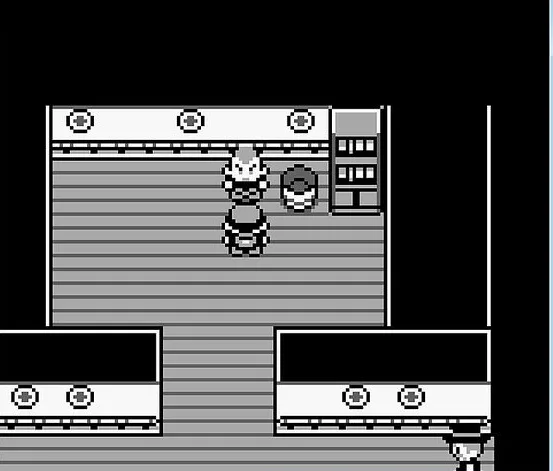
Before attempting the glitch, you’ll need access to the Fly ability. This Hidden Machine (HM02) is essential because you’ll use it to quickly move between towns as part of the glitch process. To obtain it, you must first defeat the third Gym Leader, Lt. Surge, in Vermilion City. He specializes in Electric-type Pokémon, so come prepared with Ground-type moves. Once you’ve earned the Thunder Badge, you’ll be able to use Fly outside of battle. If you’ve already done this, great—you’re ready to proceed.
Step 2: Retrieve HM02 Fly North of Cycling Road
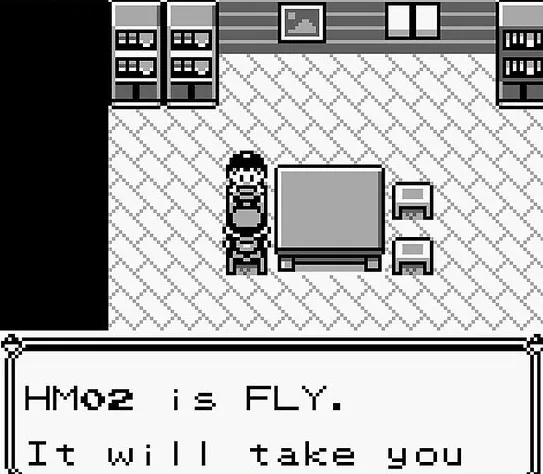
After defeating Lt. Surge and unlocking the ability to use Fly, head to the house located just north of Cycling Road (Route 16). You’ll need to bring a Pokémon that knows Cut to access the path behind the tree blocking the way. Inside the small house, a girl will give you HM02 as thanks for visiting. Teach this move to a Flying-type Pokémon in your party, like Pidgeotto or Fearow. Having Fly is crucial for the glitch to work correctly and safely.
Step 3: Travel to Viridian City Using Fly
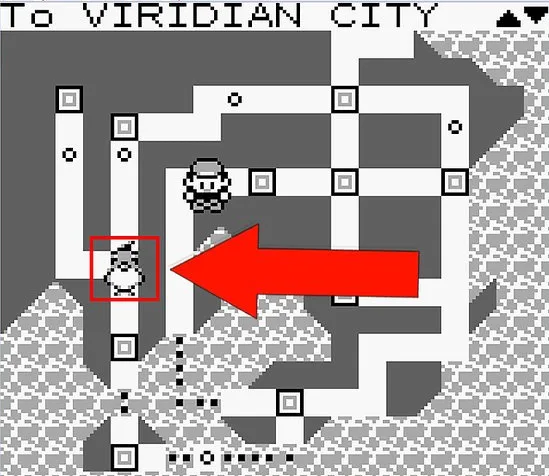
Next, use the Fly move to travel to Viridian City, located in the southwest of Kanto. This town is one of the earliest visited in the game and home to the eighth Gym Leader. You don’t need to challenge that Gym yet; instead, the goal is to interact with a specific character in the town. Make sure you have the item you want to duplicate placed in the sixth slot of your Bag before continuing, as this will affect what gets cloned later on.
Step 4: Speak to the Old Man Who Shows You How to Catch Pokémon
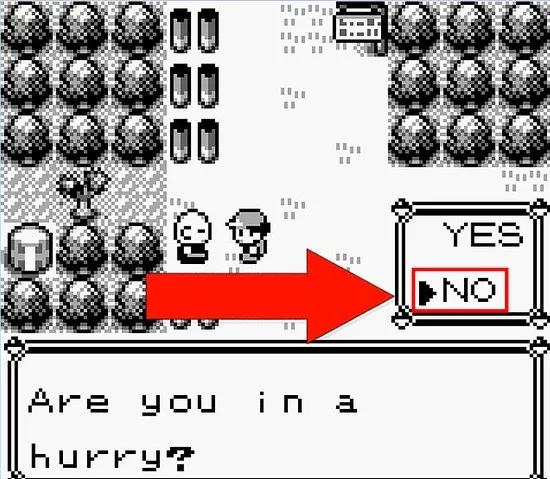
In Viridian City, find the Old Man walking around near the center of town. Talk to him, and he’ll ask if you’re in a hurry. Say “No” to watch a short tutorial where he demonstrates how to catch a Pokémon. This sequence temporarily changes your player character’s name in the game’s code. It’s this key alteration that sets the stage for the item duplication glitch. Once the tutorial ends, do not engage in any other activities—immediately proceed to the next step.
Step 5: Fly to Cinnabar Island Immediately
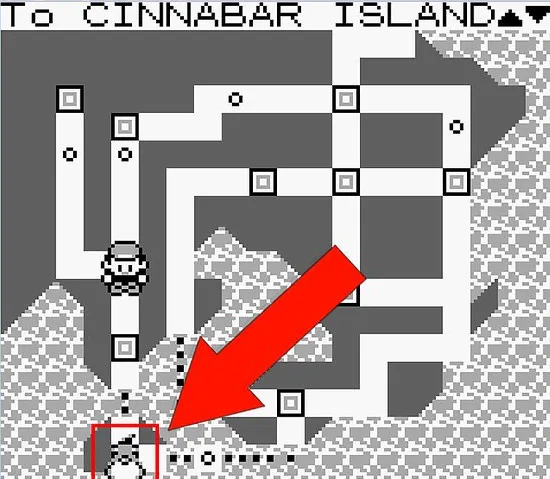
Once the Old Man finishes his catching demo, use Fly to go directly to Cinnabar Island, located in the southeast of Kanto. Do not engage in any wild battles or talk to anyone else. The glitch requires a very specific state in the game’s memory, and interacting with other in-game elements could disrupt it. Once you arrive in Cinnabar, head over to the eastern shoreline. Make sure the item you want to duplicate is still in the sixth slot of your Bag.
Step 6: Place the Item You Want to Clone in the Sixth Slot
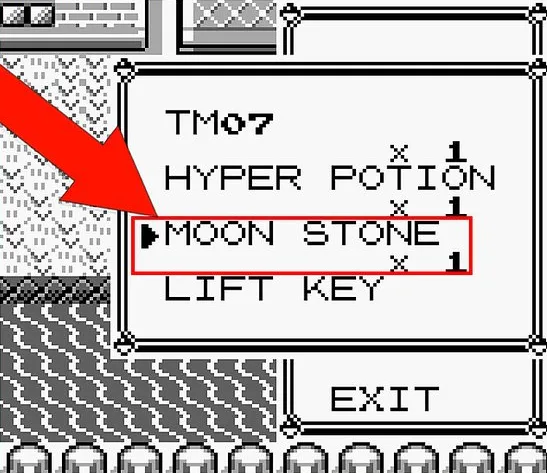
Open your Bag and organize your inventory so that the item you want to clone is in the sixth position. This means counting down the list to the sixth entry from the top. It can be anything—Rare Candies, Master Balls, TMs, or even nuggets for selling. The glitch only affects this specific slot, so double-check before moving on. If necessary, rearrange your items using the “Select” button to swap their positions within the Bag.
Step 7: Surf Along the East Coast of Cinnabar Island
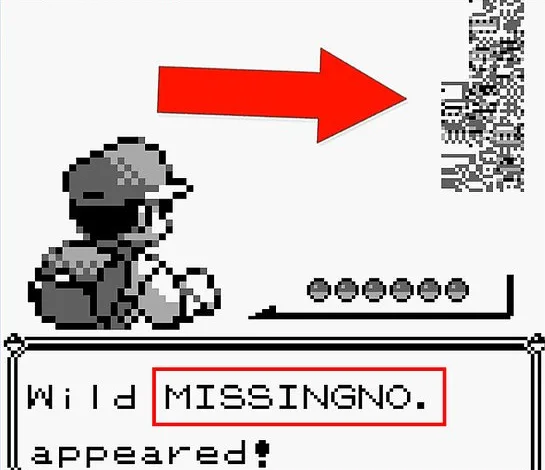
Stand on the narrow strip of water along the right edge of Cinnabar Island. Use Surf with a Water-type Pokémon like Lapras or Gyarados and move up and down along the coastline. This stretch exploits how the game loads wild Pokémon from data left in memory. Eventually, you will encounter a glitchy Pokémon—usually “MissingNo.” or sometimes “’M”. These encounters are unusual and may look strange, but don’t worry; they are the key to duplicating your items.
Step 8: Check Your Bag for Cloned Items
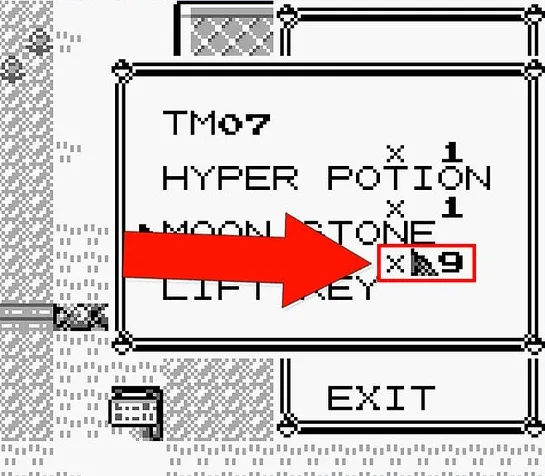
After encountering MissingNo., run from the battle or defeat it. Do not catch it, as it may cause save file issues. Once the battle ends, open your Bag and navigate to the sixth item slot. You should now see a strange number next to the item—typically “x129” or a similarly high quantity. Congratulations! You’ve successfully duplicated your item. You can repeat this glitch to clone other items as long as you follow the same steps.
Conclusion: Boost Your Gameplay Without Cheating the Fun
Cloning items using the MissingNo. glitch is one of the most iconic tricks in early Pokémon history. While technically a bug, it adds a fun way to experiment with rare items or power up your team without the grind. Just remember to save your game before trying it out to avoid any issues. Used wisely, this method can enhance your gameplay without ruining the challenge of the original titles. Happy cloning, and may your bag always be full!



 Security verified