

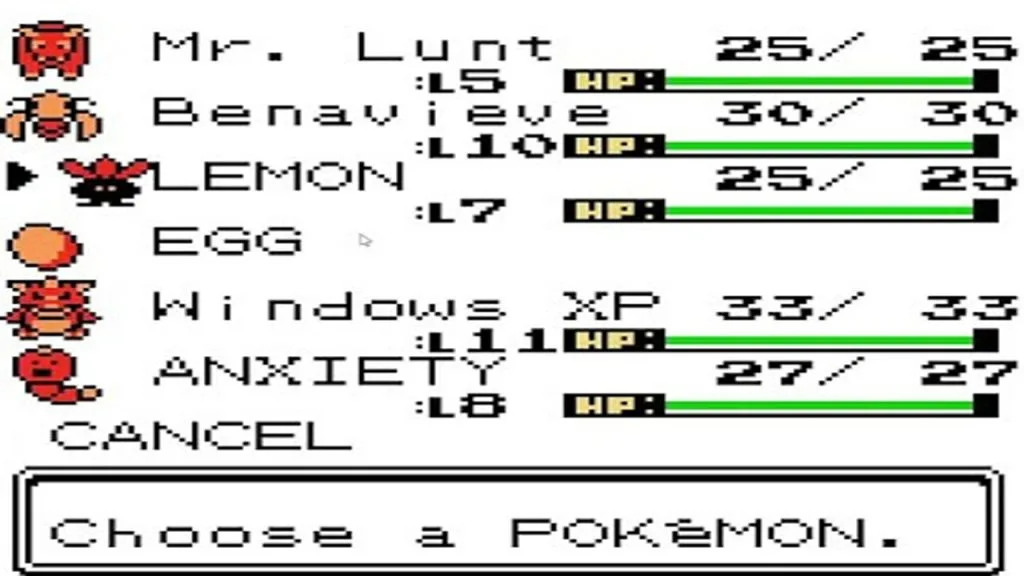
The second generation of Pokémon games—Gold, Silver, and Crystal—is famous for a well-known cloning glitch that allows players to duplicate their Pokémon and held items. A video provides a simple, step-by-step method for performing this glitch, which has been a staple of speedrunning and casual play for years. This article breaks down the process, explaining the precise timing needed to exploit this powerful bug.
• Play Pokémon Silver on your Android device with a simple APK.
• Play Pokémon Gold on your Android device with a simple APK.
• Play Pokémon Crystal on your Android device with a simple APK.
How the Cloning Glitch Works

This glitch is a classic example of exploiting a game’s save process. It relies on interrupting the save at a precise moment, just after the data has been written but before the confirmation process is complete. By doing this, you create a duplicate of your Pokémon. The method is simple to follow and, once mastered, can be used to duplicate any Pokémon and the item it’s holding, including rare items and Master Balls.
Step-by-Step Instructions

Follow these steps carefully to ensure the glitch works and you don’t lose your Pokémon.
Step 1: Prepare Your Pokémon

Place the Pokémon you want to clone in your current party. It’s recommended to place the Pokémon in the first or last slot of your party for easier management. Once the Pokémon is in place, save your game.
Step 2: Deposit and Initiate the Save

Access Bill‘s PC and deposit the Pokémon you wish to clone into any box. After depositing it, select the “Change Box” option and choose a different box.
Step 3: The Critical Moment

The game will prompt you to save. Select “Yes” both times to confirm. The screen will then display the message “Saving… don’t turn off the power.” This is the most crucial part of the process. You must reset your console at a specific point during this message. The video notes that for Pokémon Gold and Silver, you should reset the console after the “s” in “Saving” appears, but before the text has completely finished displaying. In Pokémon Crystal, the timing is slightly different, requiring you to reset after the full message has appeared.
The Result

Once you restart your game and select “Continue,” you will find a clone of your Pokémon in both your party and the PC box. The original Pokémon remains in your party, while the duplicate is safely stored in the PC, complete with its held item. You can repeat this process as many times as you like to get multiple copies of your favorite Pokémon.
• Play Pokémon Silver on your Android device with a simple APK.
• Play Pokémon Gold on your Android device with a simple APK.
• Play Pokémon Crystal on your Android device with a simple APK.
RELATED ARTICLE:


 Security verified